Overview
Kerio Connect allows the installation of a trial version which is valid for 30 days only. After the trial subscription period expires, several features will be disabled.
This article provides the limitations of a Kerio Connect trial subscription. There are ways to avoid the limitations on features mentioned below and to prevent the error message: "Server License Expired." For more information, read this article on Registering a Kerio Connect Trial Version.
📌 Kerio Connect trial licensing is sensitive to license history and trial reuse patterns:
- A trial license cannot be used after a regular (fully licensed) state on the same server/registration - by doing this, you are violating the EULA
- If a trial license was applied to another server first and then reused (or applied to a server that was already registered/licensed), the trial may fail to activate and can continue to report “license expired/registration” style errors.
Information
Error Message
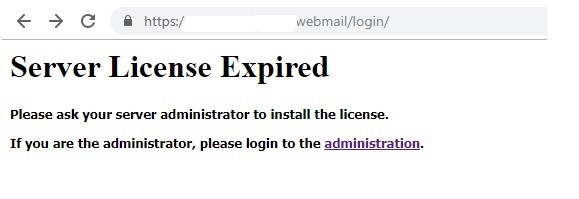
If the Kerio Connect subscription is not renewed within 30 days or if a current subscription expires, access to Kerio Connect Webmail interface gets blocked and an error message is displayed, as shown in the screenshot below.
Disabled Features
Until Kerio Connect is registered, it behaves as an unregistered trial version and it will have the following limitations:
- Thirty days after installation, Kerio Connect Engine will be disabled.
- Kerio Antivirus engine cannot be updated for unregistered trial versions.
- Kerio Connect Webmail gets blocked, returning the same error message: "Server License Expired."
- Synchronization of mobile devices via Exchange ActiveSync is disabled.
- Greylisting antispam protection is not available.
- Technical support is unavailable for unregistered trial subscriptions. If you register a trial version, you will receive technical support during the entire trial period.
When to Register
You can register Kerio Connect while running the initial configuration wizard.

Ciprian Nastase
Comments